Client
Onlog System is a logistics company specializing in B2B global transportation.
Problem
International cargo booking is a manual, fragmented process involving multiple parties, endless email threads, and days of coordination. This outdated workflow lacks transparency, makes price comparison difficult, and leaves customers unable to track their shipment options in real-time.
Solution
The web service that transforms complex cargo shipping into a simple digital experience. Users input their shipping requirements, and the system automatically generates optimized multi-modal routes — bringing the simplicity of travel booking platforms to enterprise logistics.
Impact
↑110%
page depth (1.45 → 3.04)
↓37%
bounce rate (18.35% → 11.56%)
↑34%
time on site (1:27 → 1:57)
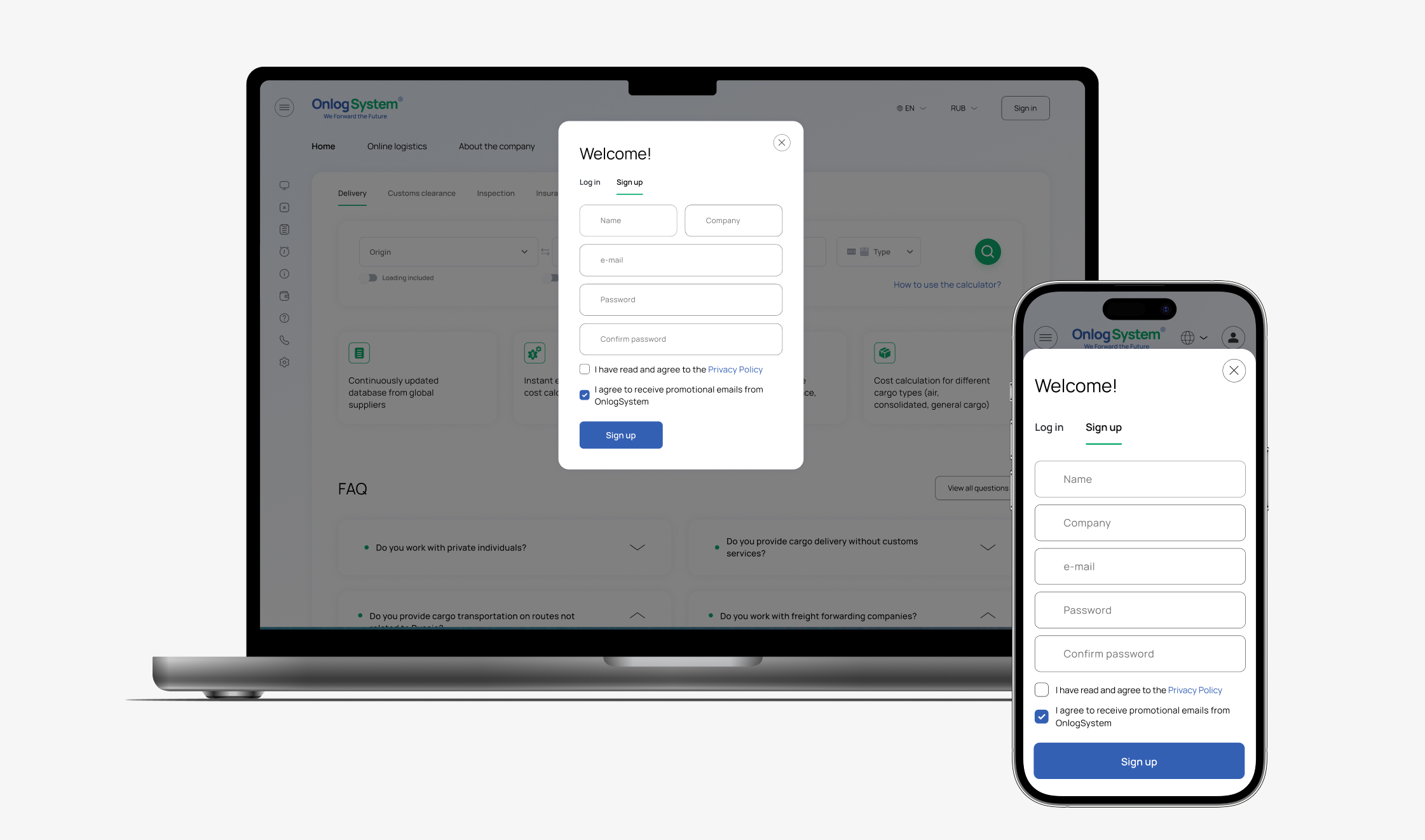
Mapping offerings and defining user journey structure
To understand the overall product structure, we worked with the client to create an offering map of all services provided by the company. The result was a multi-level service tree covering logistics, customs, inspection, and related services.
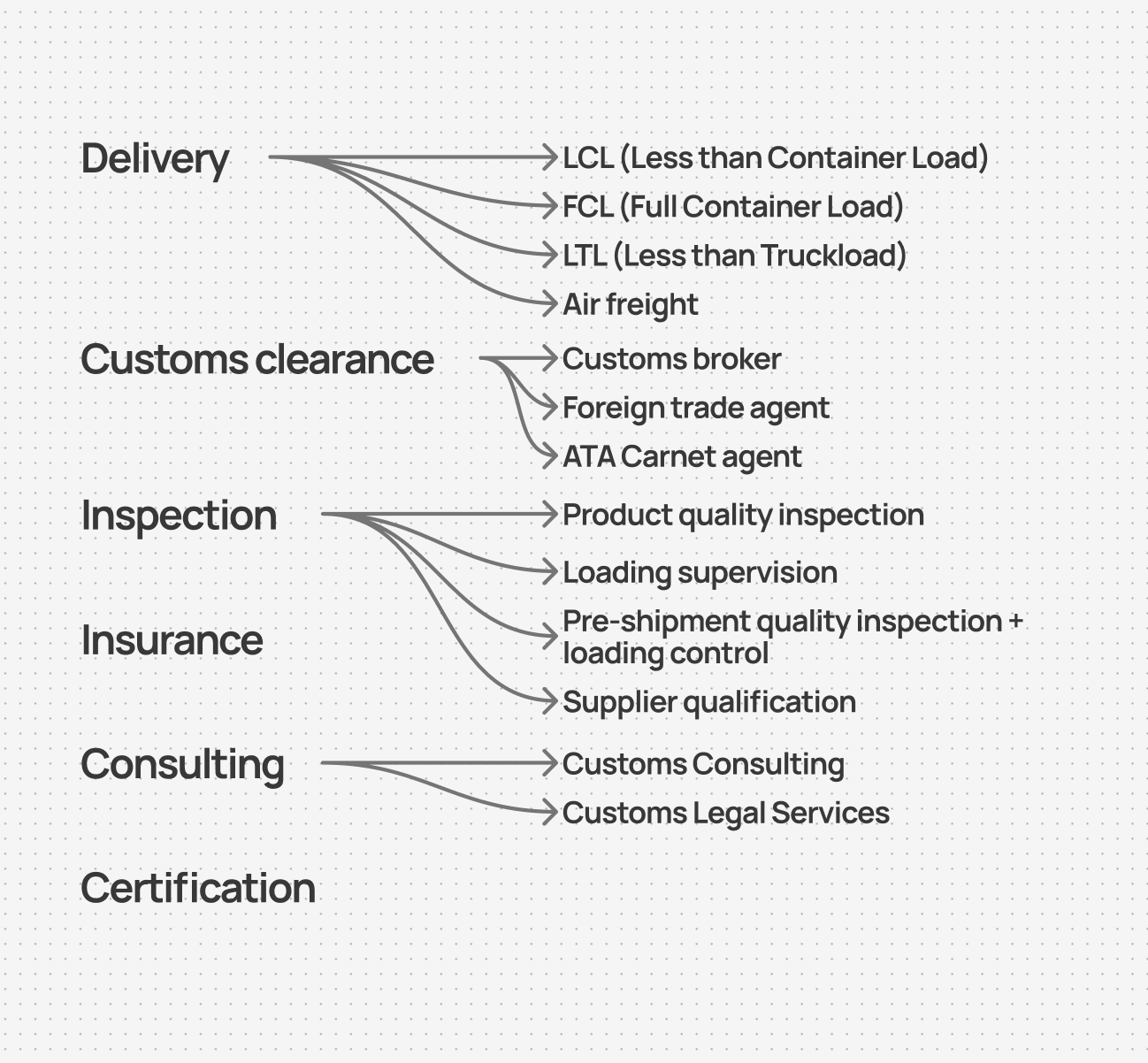
Offering map
Based on this structure, I designed the core user journey:
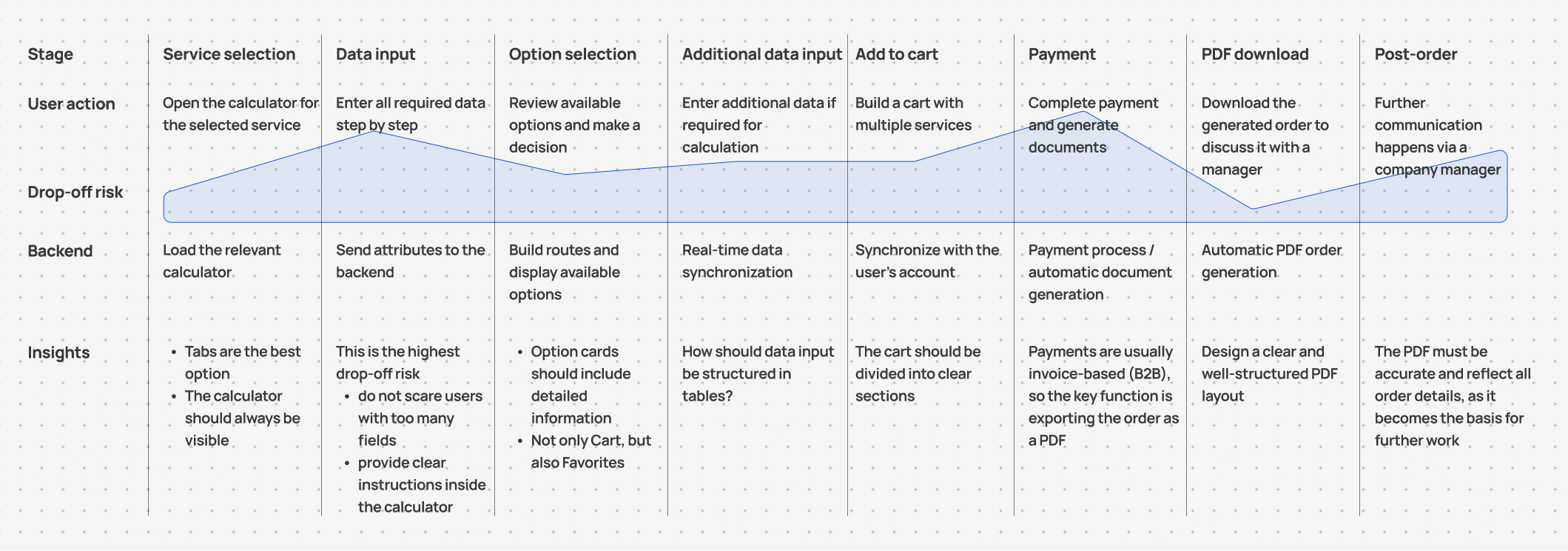
User Journey Map (simplified)
Wireframing the journey
At the interface level, each service page was split into two primary areas:
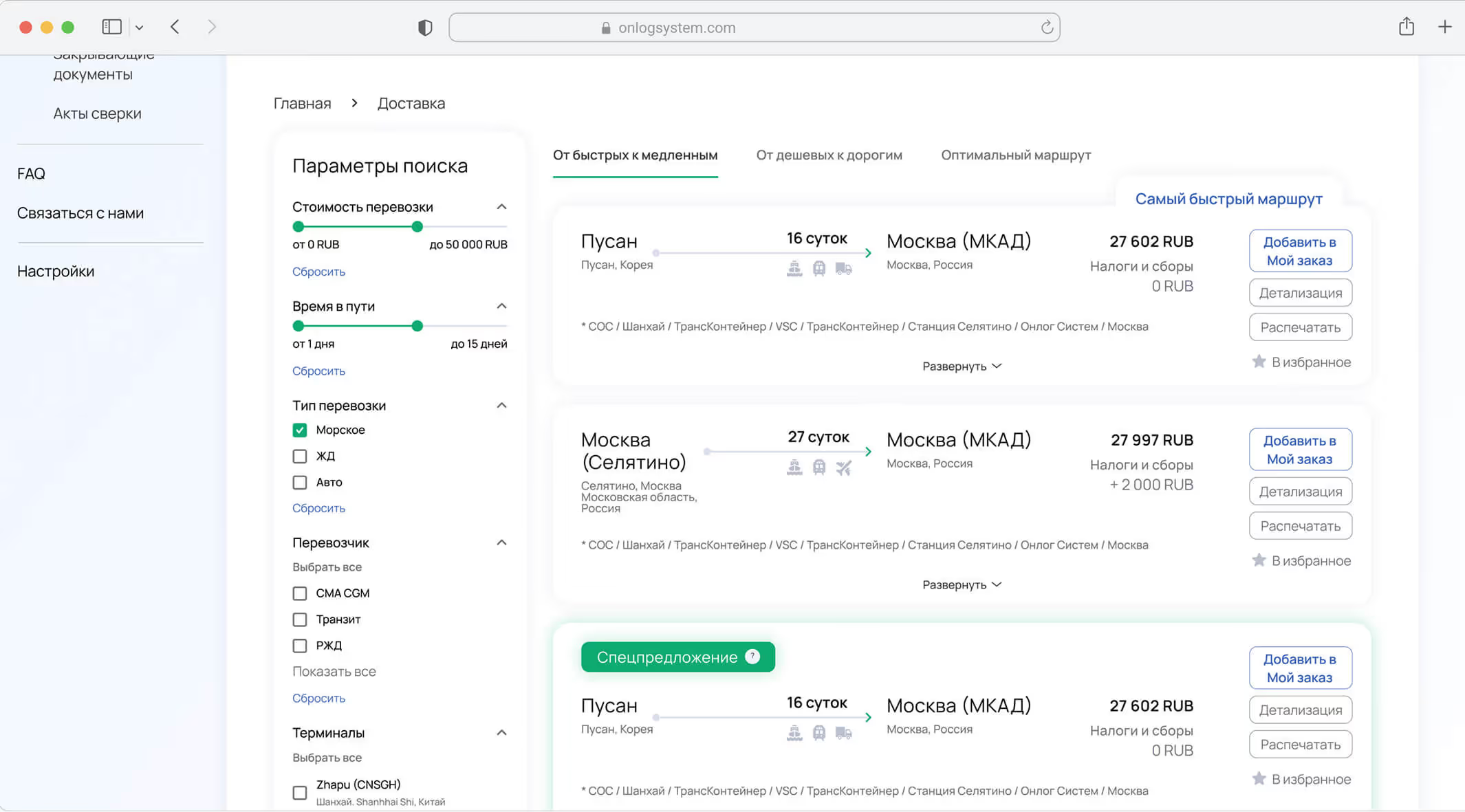
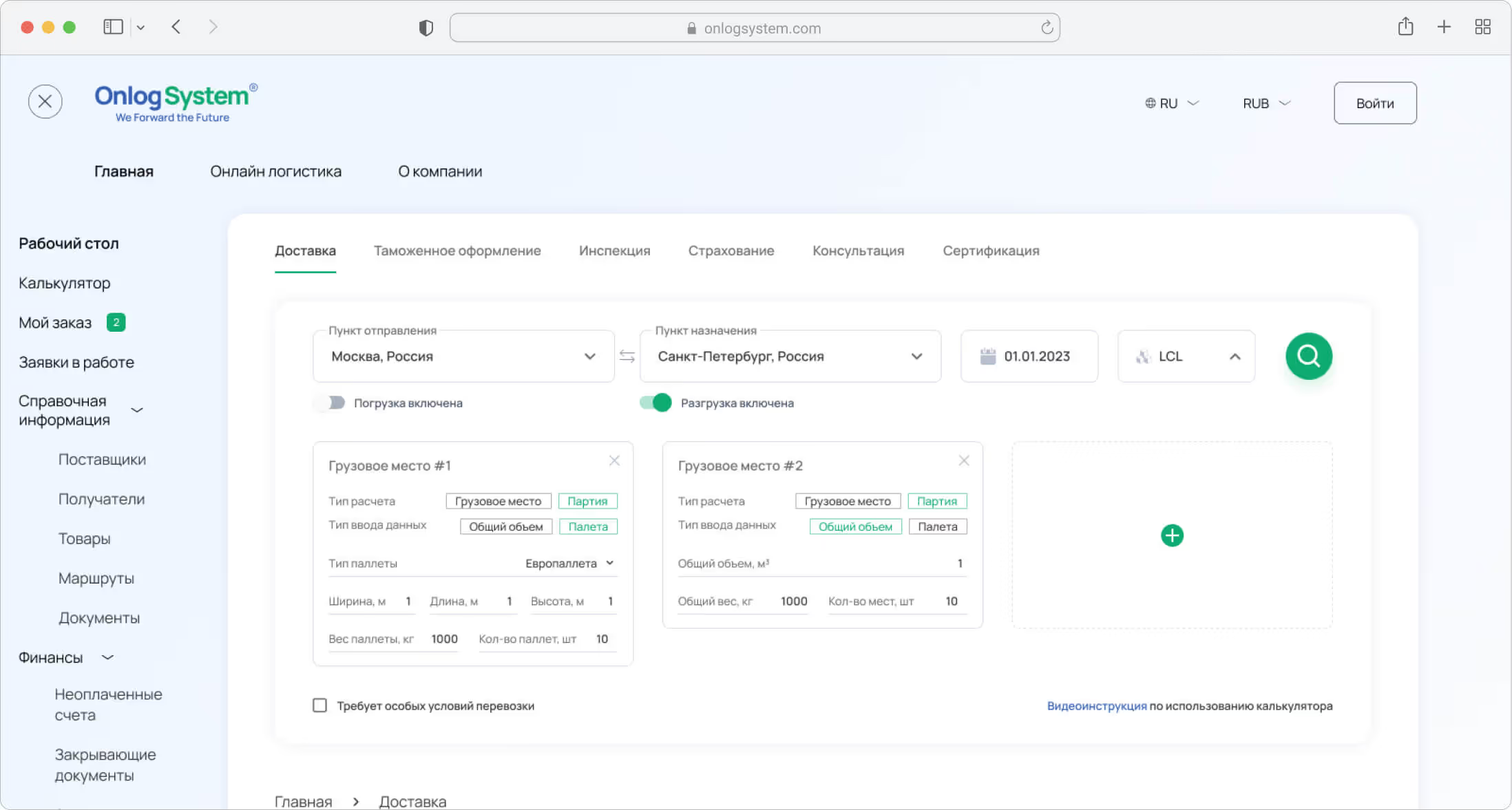
→ Calculator widget, where users enter shipment or service data
→ Results list, displaying all available options based on the input.
→ Calculator widget, where users enter shipment or service data
→ Results list, displaying all available options based on the input.
After selecting services, users proceed to a cart structured by service categories. From there, users can either:
→ Submit a request and wait for a manager to follow up, or
→ Download a PDF order summary to complete the process offline.
→ Submit a request and wait for a manager to follow up, or
→ Download a PDF order summary to complete the process offline.

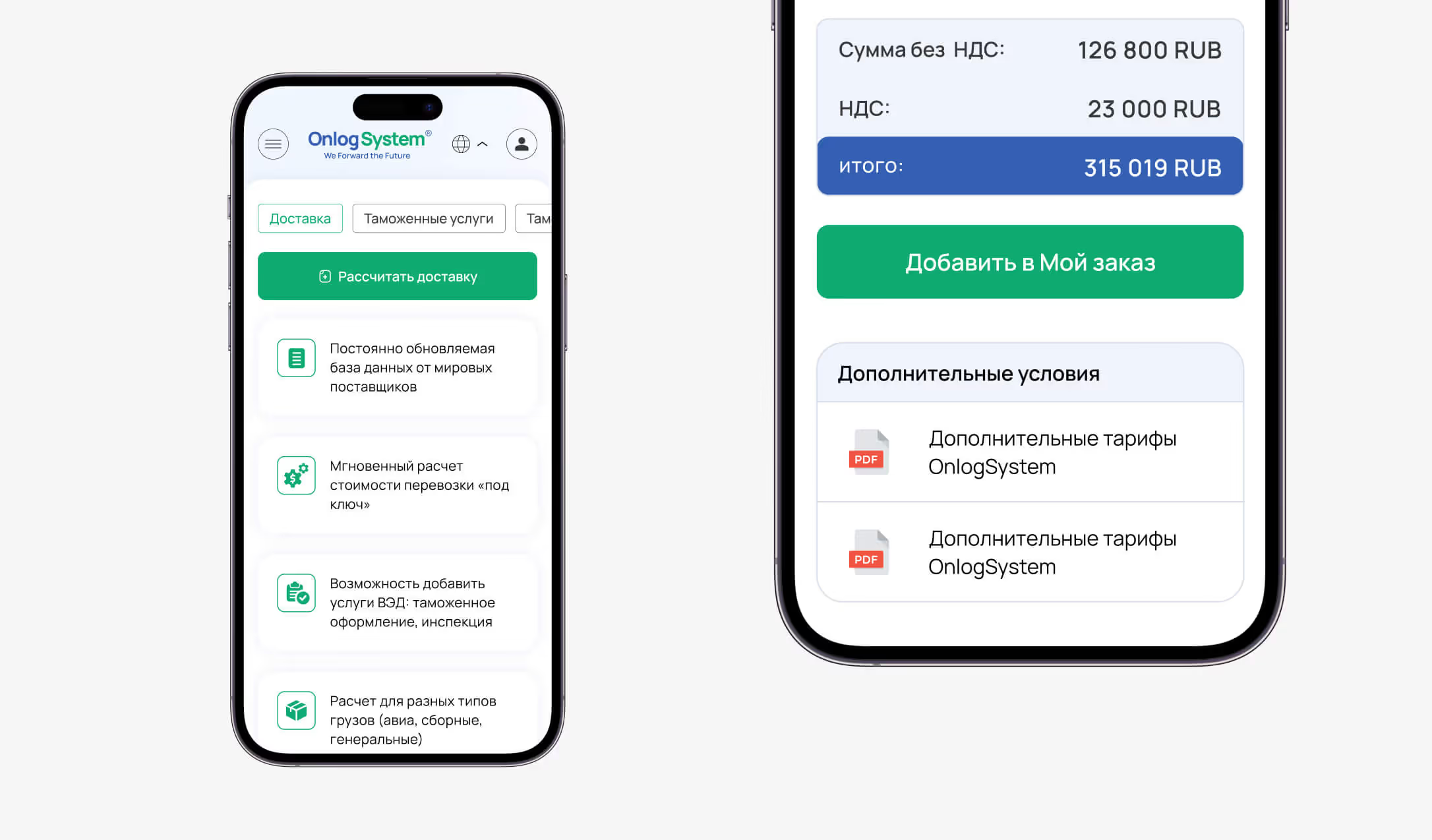
Main interface elements

Mobile calculator input flow
Simplifying input logic
To hide operational complexity from the user, the interface requests only the data needed at each step. For every service, I defined the necessary input fields and the order in which they are progressively revealed. This approach reduced cognitive load and kept the flow predictable and focused.
.jpg)
On example of Customs clearance flow: User selects a city → If the service is available in that location, the fields Service type and Customs procedure appear → Depending on the selected values, additional input fields are revealed dynamically.

On the example of the Delivery flow (mobile): the user selects the origin and destination cities → selects the cargo type → input fields relevant to the selected cargo type appear → when special conditions are required, additional fields for transportation requirements are revealed.
Delivery order flow — interface demo
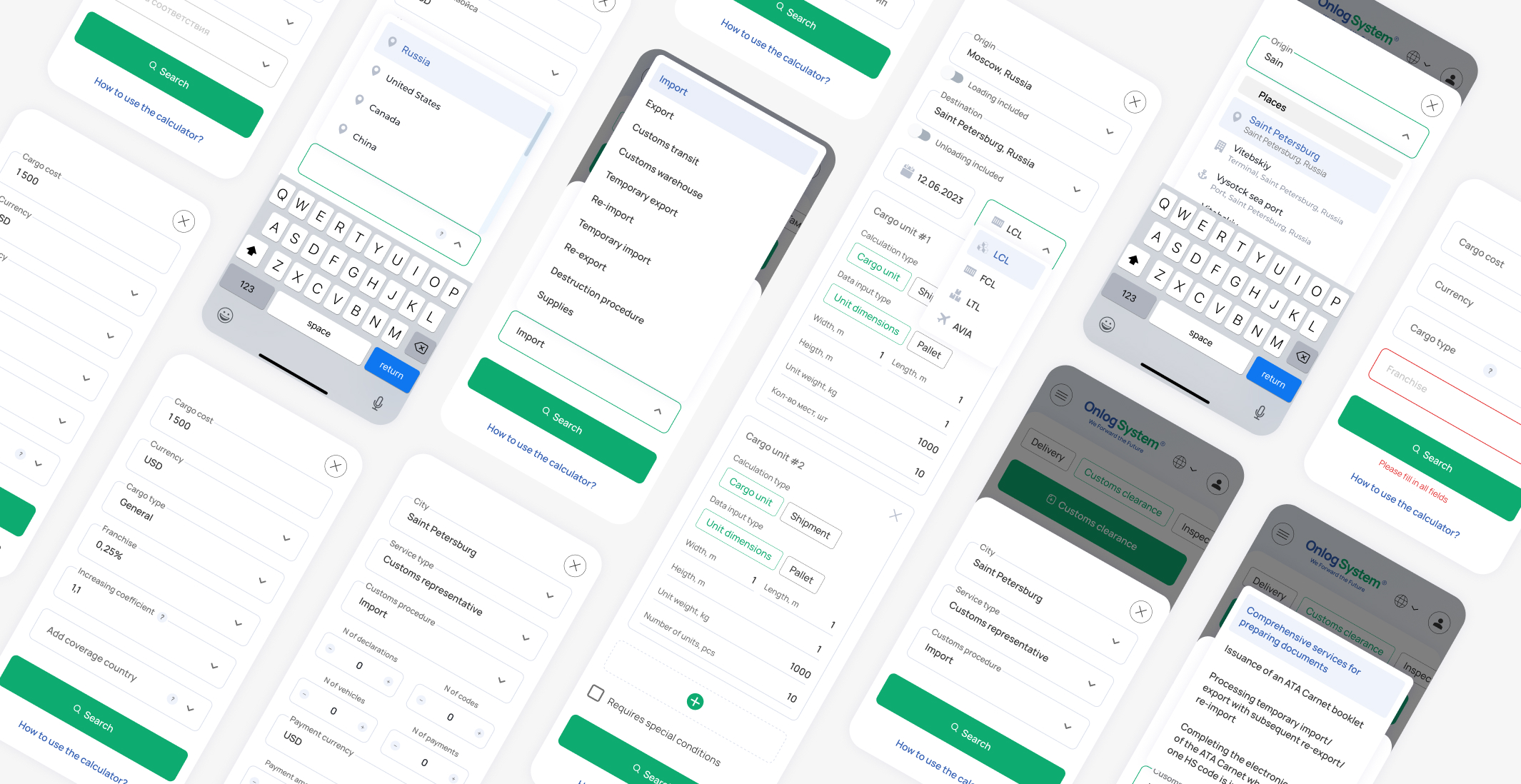
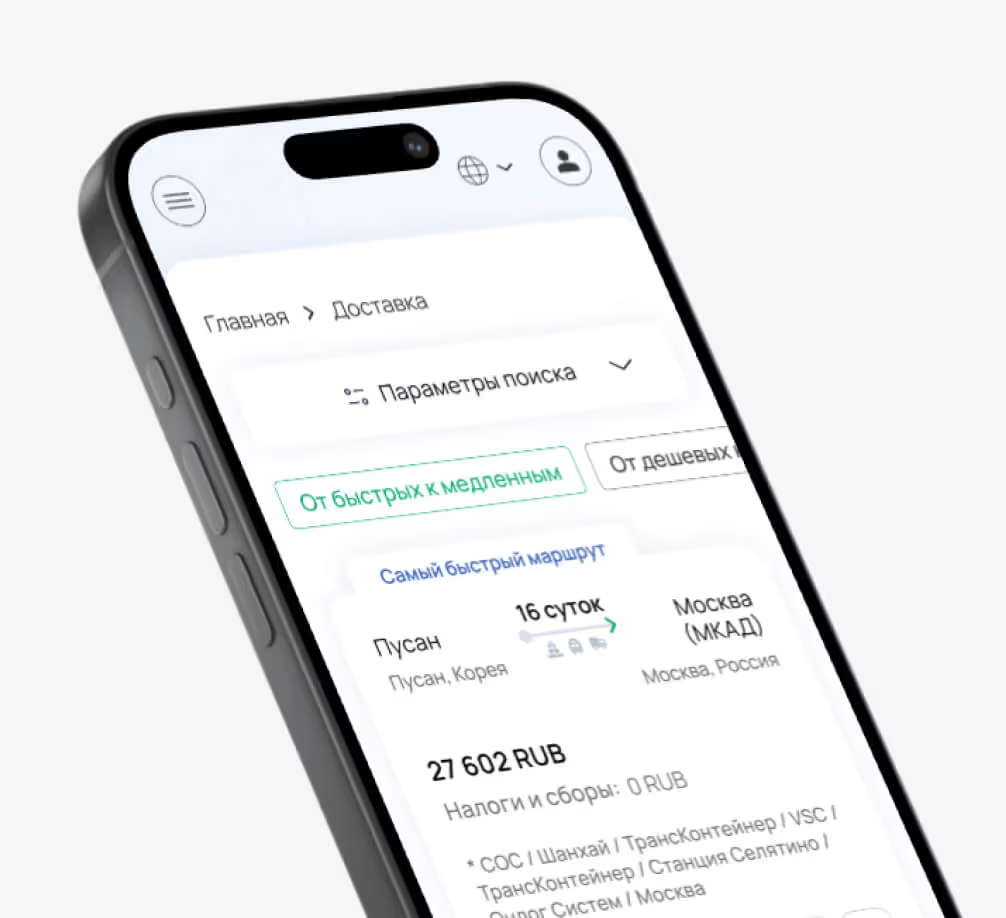
Mobile screens
Design Challenges
One of the design system challenges was handling data input within tables. For some services, users needed not only to enter calculation parameters upfront, but also to update and extend them dynamically during the flow.
To address this, I designed an alternative page layout: instead of using cards, options are presented as separate configurations in tabs, each built around a set of dynamic tables.
To address this, I designed an alternative page layout: instead of using cards, options are presented as separate configurations in tabs, each built around a set of dynamic tables.
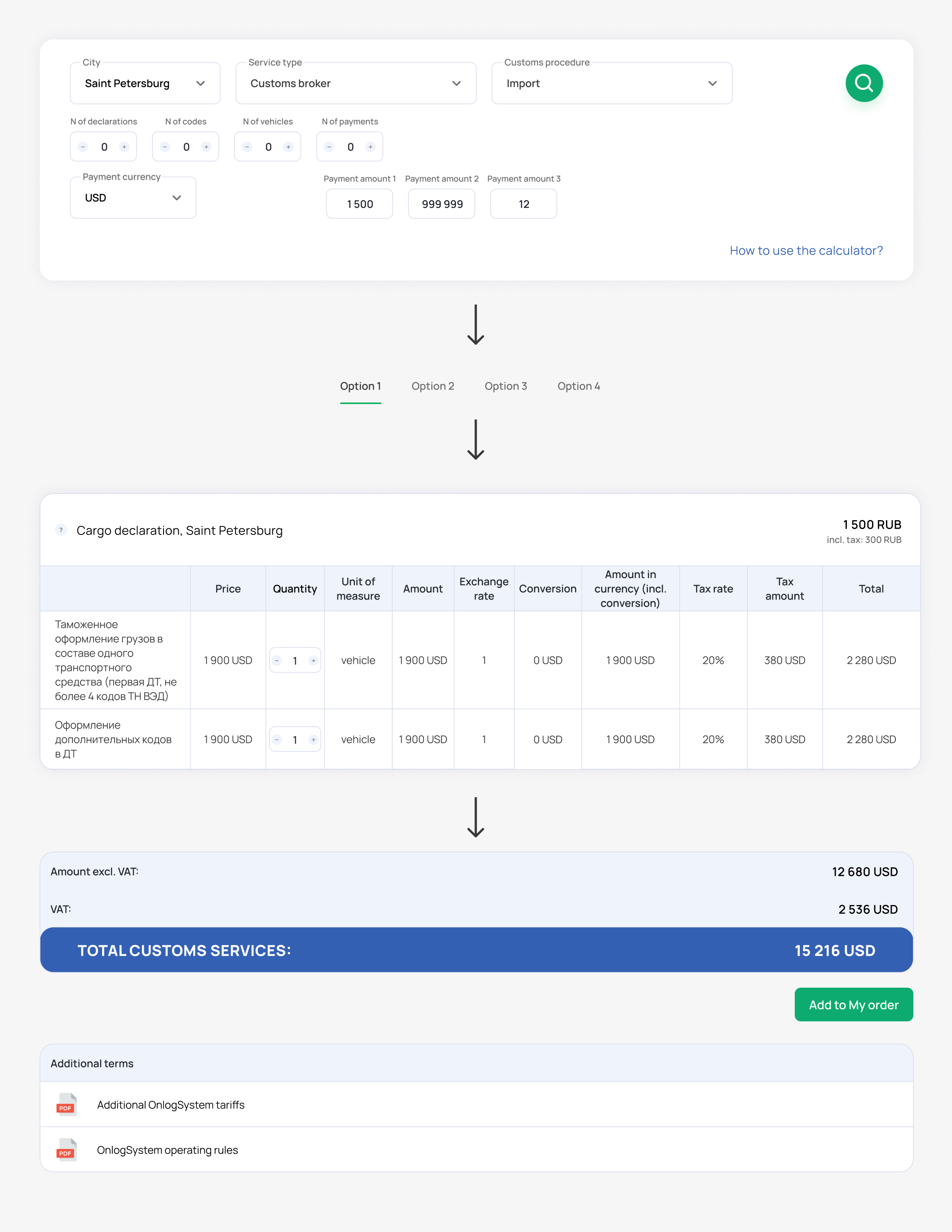
Customs services page — key interface elements and interaction sequence
Delivery order flow — interface demo
In most user flows, the final step is not online payment but generating a PDF with complete order details for internal processing.
To support this, I simplified all interface elements that are automatically transferred into the document and designed a final PDF layout with full legal information:
To support this, I simplified all interface elements that are automatically transferred into the document and designed a final PDF layout with full legal information:
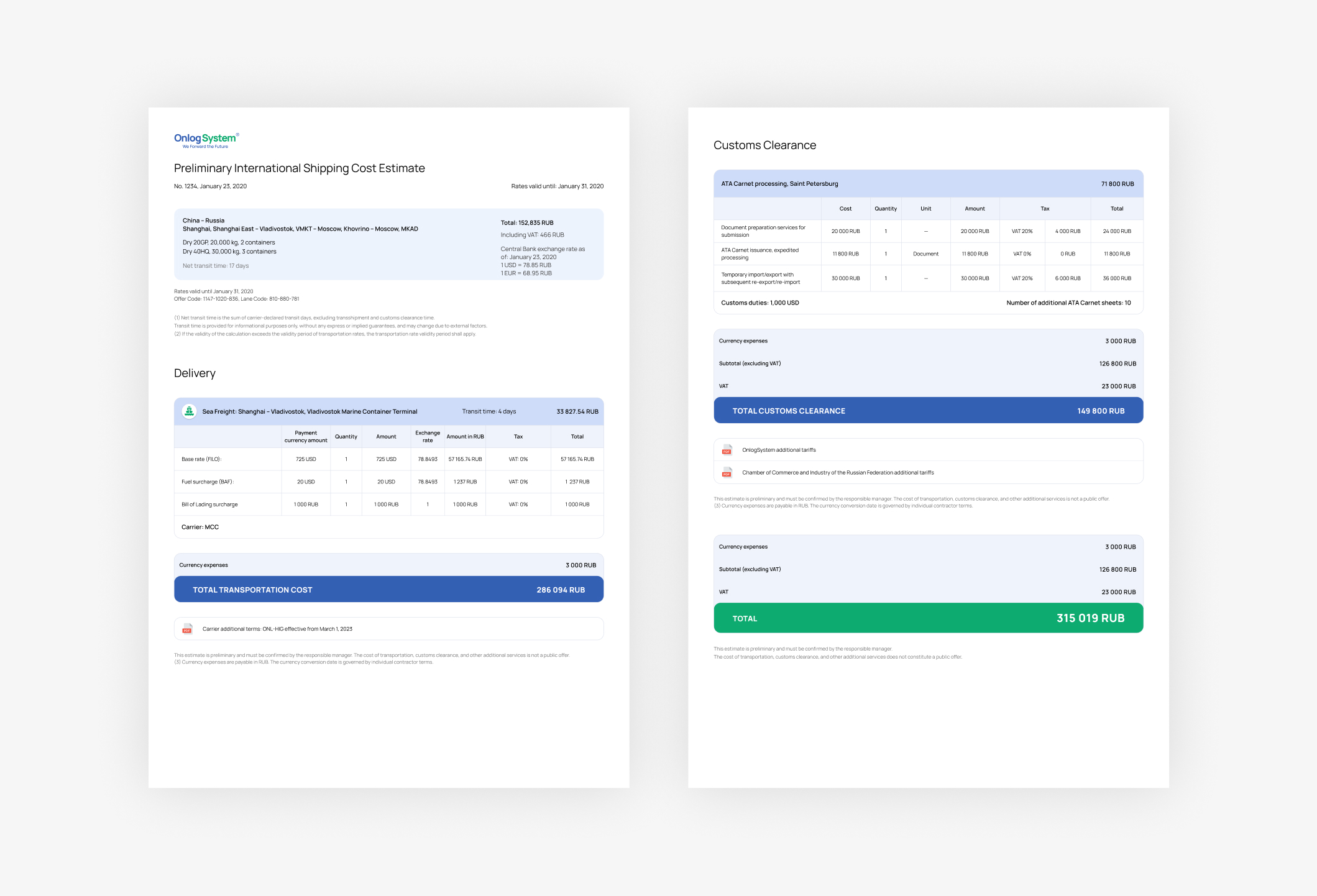
Customs services page — key interface elements and interaction sequence
UI components & patterns

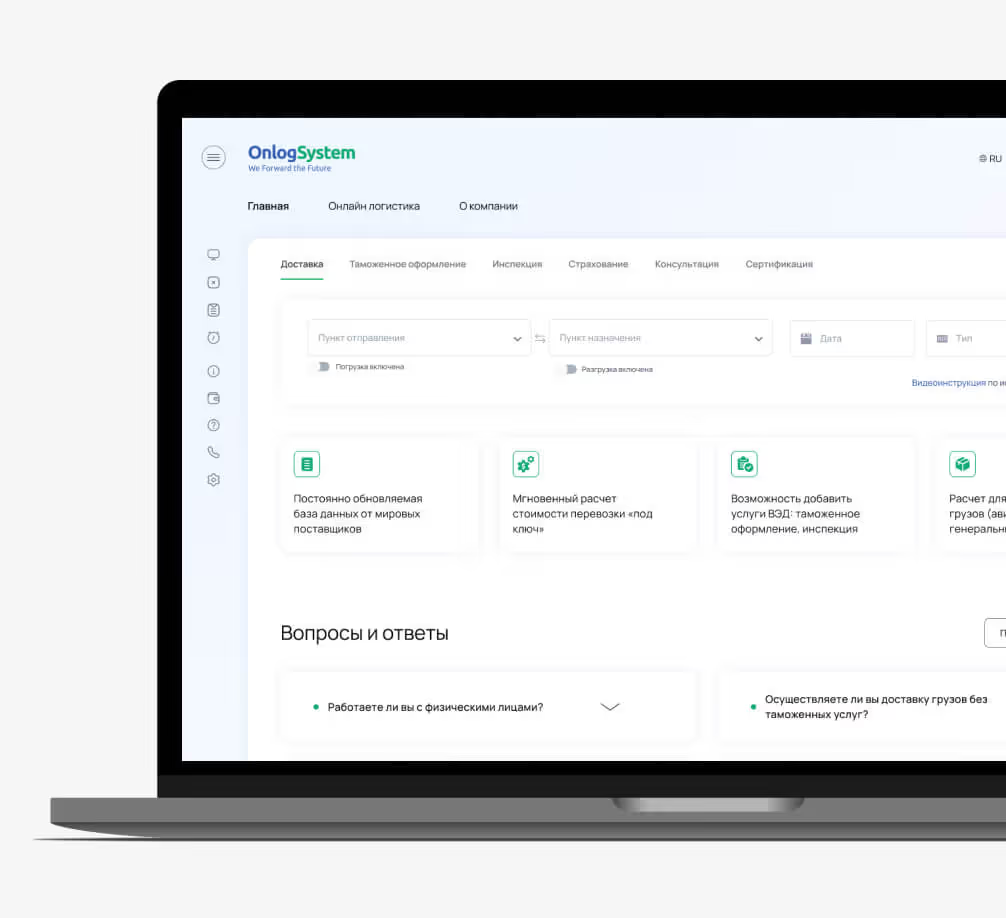
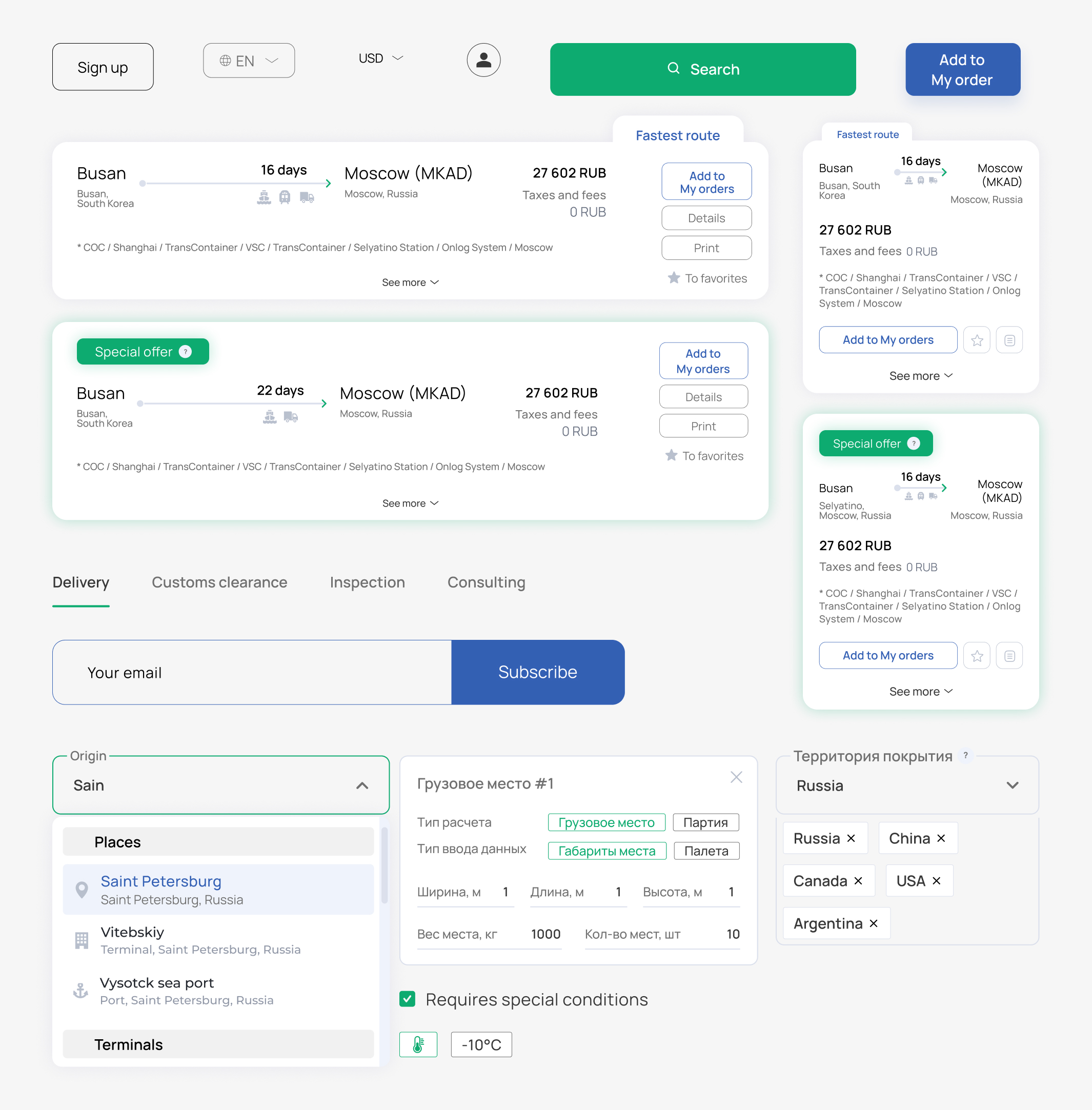
Core interface components
Mobile screens
Final product screens